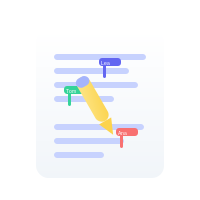
Collaborative pad
Write one document together, in real time: everyone types, and each person's changes appear at once, marked by colour. It fits taking notes together, or writing a text as a group.
In practice — Four learners write their presentation together on a shared pad; the teacher follows along and corrects as they go.
What you can do
- Create a pad — start a collaborative document.
- Write together in real time — each contributor in their colour.
- Share a pad — with people or groups.
Create a pad
A pad is created from the application, with a title. It then appears in the list of pads, and can be arranged in folders like any other resource.
Write together in real time
Several people type in the same document at the same time. Each contributor has a colour, so it stays clear who wrote what, and nobody has to merge versions afterwards — there is only one.
Share a pad
A pad is shared with people or groups, with the usual rights. Someone who may contribute writes in it; someone who may only read follows without changing anything.
Walkthrough
Every feature above is covered by automated tests: the screenshot below comes from one of them.
Opening the application. Your pads and those shared with you are listed.